WABA Multichat Software
Supercharge Your Customer Conversations
Manage, automate, and scale your WhatsApp Business API
communications with WABA Multichat Software. Centralise all customer chats in one shared inbox, enable team collaboration, and streamline workflows to improve response times and customer satisfaction.
-
7-Days Free Trial
-
No credit card required
-
Free onboarding setup and channel integration
Scale Your WhatsApp Communication with Ease
Grow your business without adding chaos. WhatsApp Business API multichat software lets you manage multiple conversations simultaneously, monitor team performance, and streamline workflows, all in one platform.
Manage everything WhatsApp in
Our Multichat Software for Businesses
Handle thousands of WhatsApp inquiries every day without breaking a sweat. Our platform centralises all conversations in a single, easy-to-use inbox, so your team can collaborate efficiently, assign chats, and respond faster. Built-in analytics give you actionable insights to track performance, while marketing tools help you engage customers with targeted campaigns.
Find Out How
WABA Multichat Software
Can do for you

Set up triggers & sequence replies to your client so that you will not forget to follow-up with your client.

Communicate and chat with all of your prospects and customers from various messaging app channels in 1 platform.

Invite your colleagues to manage all your business inquiries & contacts.

Broadcast your promotional / notification message to your targeted contact numbers. We are using official API directly from respective messaging service provider. Hence, the delivery rate of your message is at 100% delivery rate. However, you still need to comply the guideline for the messaging app you use.


Manage all your customers and prospects in 1 platform. You can manage all of them using our tag management system. In the future, you can filter it based on the tag you have placed for every contact.

View overall of your broadcast campaign in a glance. View information such as:
- Total contacts
- Total messages sent
- Percentage of message delivery
- Percentage of message read by recipient
- Percentage of message responded by recipient
- Percentage of message failed to deliver

Save your frequent used replies to your client. Save yourself time in typing the same sentence over and over again to your client.
Turn Conversations into Sales Opportunities
More than just messaging, our software empowers your team with built-in marketing and engagement tools. Easily create targeted campaigns, send personalized messages, and track customer responses. By combining messaging, automation, and analytics, every WhatsApp conversation becomes an opportunity to nurture leads, boost engagement, and convert more sales.
![]()
Use Cases
Broadcast Messages & Start Conversations
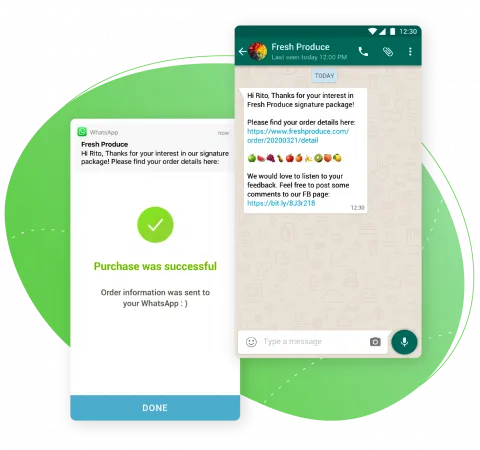
Send promotional updates, shipping updates, delivery reminders, payment reminders, and other notifications on WhatsApp using our APIs
Bring Your Customer Support On WhatsApp
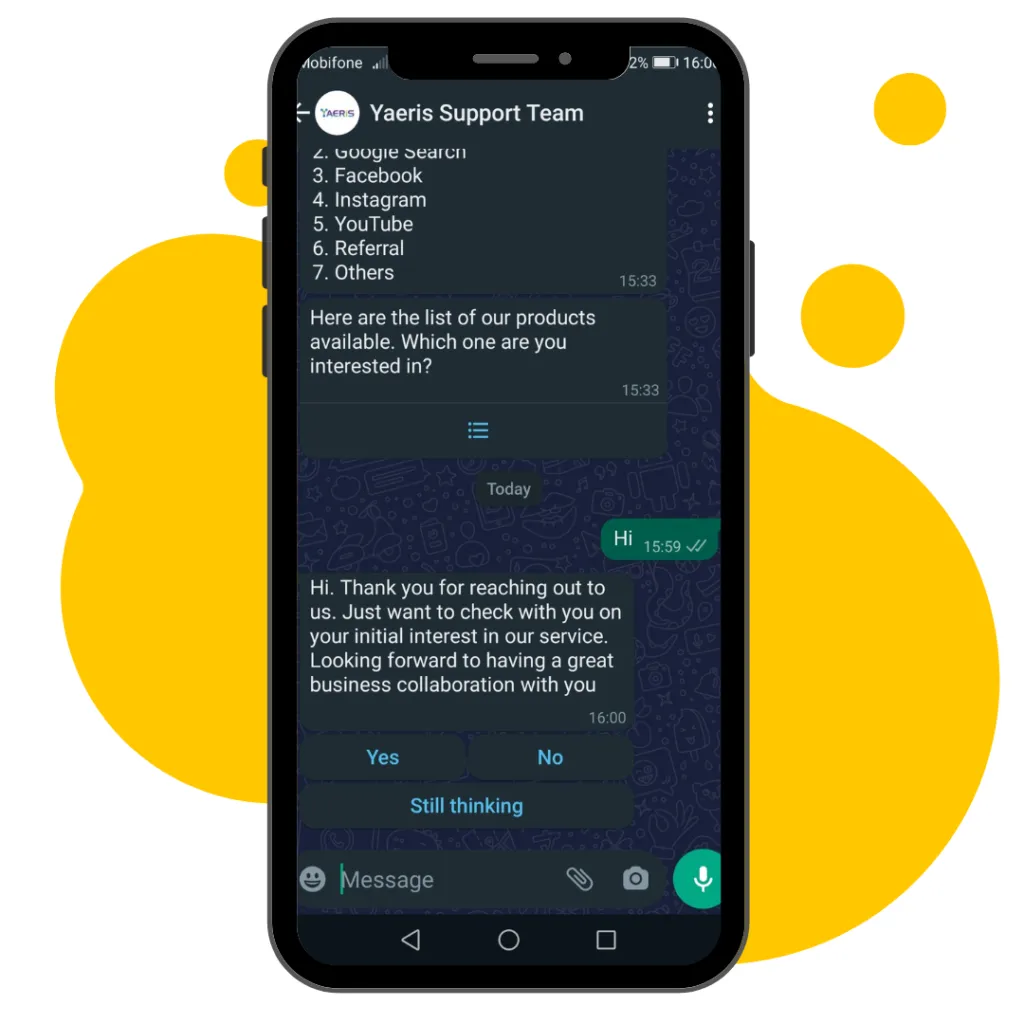
Engage with your customers on their favourite app & provide multi-agent customer support on WhatsApp.
Manage All WhatsApp Communication Channels In 1 Platform
Integrate all your WhatsApp business communication channels with WABA multichat software. Then, you can manage all incoming and outgoing chat messages in 1 platform.
Get started with 7-days free trial
Pricing
Starter
- Billed Yearly
- 1 WhatsApp Number
- 1 WhatsApp Business API
- Unlimited Team Members
- Unlimited Messages
- Unlimited Contacts
- Unlimited Broadcast
- All Features
Add On: Per WhatsApp Number
- Billed Yearly
- Per WhatsApp Number
- Per WhatsApp Business API
- Unlimited Team Members
- Unlimited Messages
- Unlimited Contacts
- Unlimited Broadcast
- All Features
Features
-
Unlimited Team Members
-
Unlimited Messages
-
Unlimited Contacts
-
Unlimited Broadcast
-
Data Export
-
Dashboard
-
Team Inbox
-
Contact Management (CRM)
-
Quick Replies
-
WhatsApp Catalog & Store*
-
Sequence Automation
-
Files
-
Advance Broadcast Reporting
-
Quick Replies
-
Built-in CRM
Additional Fee on WhatsApp Business API
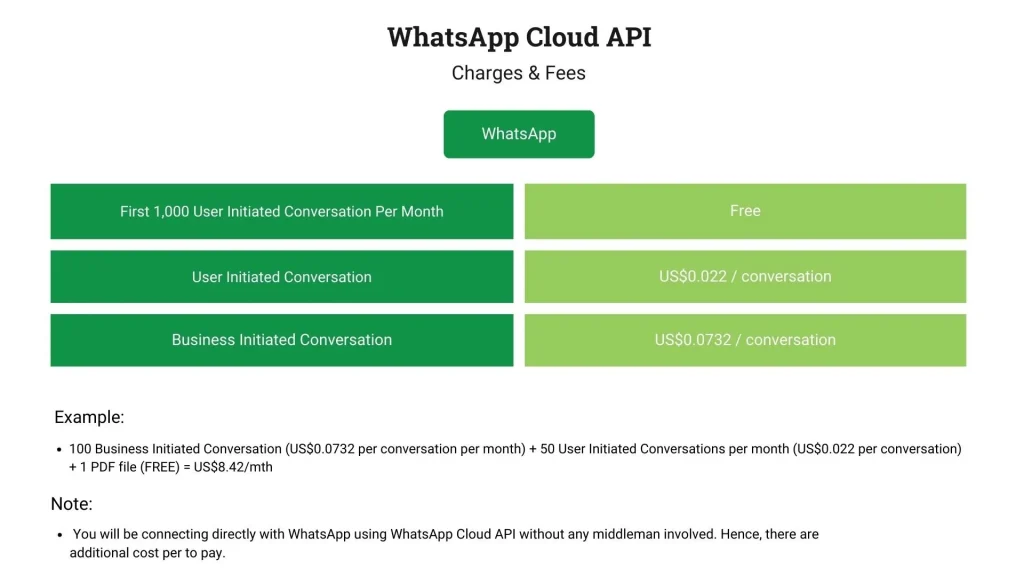
| WhatsApp Charges (For Malaysia) | Cost Per Template Message |
|---|---|
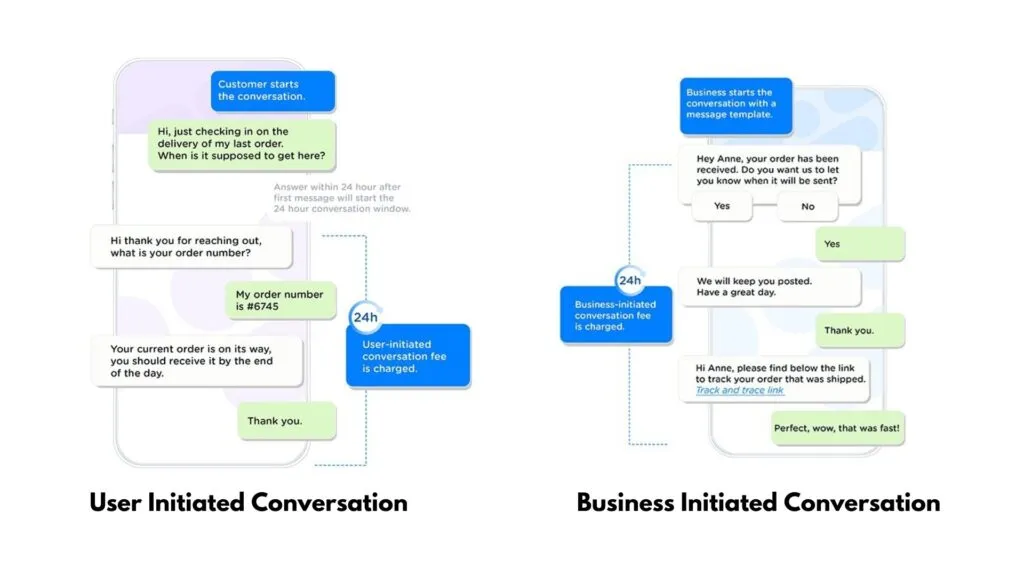
| User Initiated Conversation: | Free |
| Marketing Conversation: | US$0.1032 / message |
| Utility Initiated Conversation: | US$0.0168 / message |
| Authentication Initiated Conversation: | US$0.0216 / message |
Example
If you send 1 marketing template and then 2 utility templates to a WhatsApp user, that will incur 3 charges (1 marketing, 2 utility). If the 2 utility templates are sent while a customer service window is open between you and the user, however, it would only incur a single charge (1 marketing).
For other countries charges, please contact our live chat support on WhatsApp.


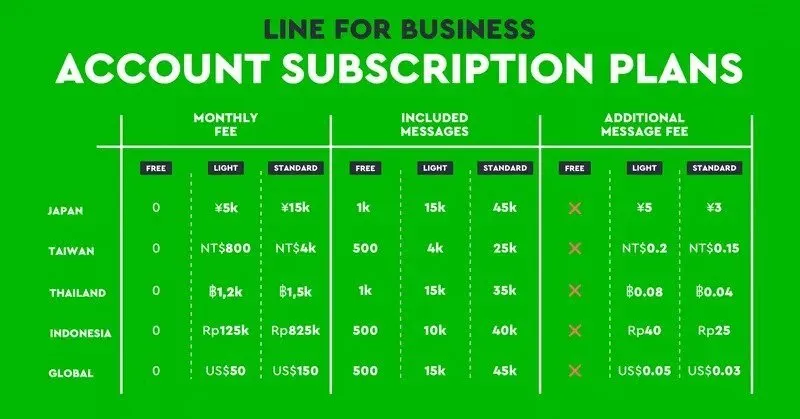
Once you have registered an official LINE Business Account, it will generate a user ID automatically for your business. If you want to use a custom user ID, you need to pay US$12/year.
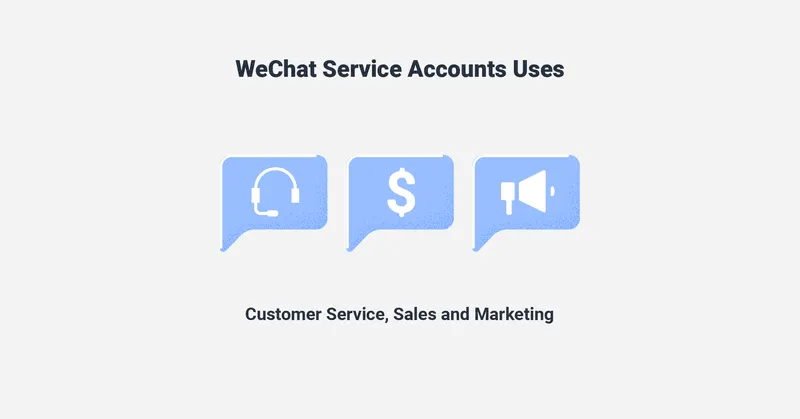
Pricing for WeChat Business account: US$99/year
It is also secure with our
WABA Multichat Software
-
Host at secured AWS
-
AWS Threat Detection & Continuous Monitoring
-
AWS Compliance & Data Privacy
-
SSL Encryption
-
Permission Access
Having a Doubt?
Frequent Asked Questions
What is WABA Multichat Software?
It is a software which allows you to connect to a WhatsApp Business API. With WhatsApp Business API, you can send out approved messages by Meta to your clients including broadcast messages to your client.
What are the charges involve?
Besides paying for our software cost, there are additional costs chargeable by WhatsApp. Please refer to above pricing.
Can I use this software to blast WhatsApp message?
Yes, you can. As long as related Meta approves your message, then you can blast using our software.
What is a WABA ID & how to find it?
A WABA ID is a unique identifier for each WhatsApp Business Account. You can find it in:
- WABA Multichat Software
- Meta Business Manager → Business Settings → Accounts → WhatsApp Accounts → select account and view its ID
- During embedded signup, via the returned access token.
Using business/account API calls like “Get List of Shared WABAs”
What is WABA Manager?
The WhatsApp Manager is Meta’s web interface (within Meta Business Suite or Dev App Dashboard) that lets you oversee WABAs, phone numbers, message templates, metrics, and account quality ratings
Where to locate & how to create WABA templates?
To create a WhatsApp message template, you can either use the Templates section in WhatsApp Manager or in WABA Multichat Software, where you’ll fill out and submit your template for WhatsApp’s approval, typically receiving a response within 2 to 24 hours.
What is WABA marketing?
WABA marketing refers to using the WhatsApp Business API to execute customer campaigns—automated messages, template broadcasts, chatbots, and analytics—to drive engagement and conversions
How to proceed with WABA registration?
To register for WhatsApp Business API, you need to set up a Meta Business Manager account, complete business verification, create or link a WABA (WhatsApp Business Account), add and verify a phone number via SMS or call, and set up WABA either through the Cloud API flow or a partner like WABA Manager.
How to proceed with WABA integration?
To integrate with WhatsApp Business API, choose between the Cloud API (no server needed) or the on-premises API (self-hosted), then obtain API credentials, subscribe via Graph API, set up webhooks to receive events, and integrate message flows using your preferred technology stack.
How to access the WABA platform?
You can access WhatsApp Manager through Meta Business Suite by navigating to Accounts → WhatsApp Accounts, or via your developer app’s dashboard by going to WhatsApp → Quickstart → Account Information.
Can WhatsApp be intercepted?
WhatsApp messages are end-to-end encrypted (via Signal protocol) by default, but backups are optional to encrypt. Metadata and some non-encrypted info can be logged. However, conversations and backups may be vulnerable if devices are compromised or cloud backups are unencrypted.
How to Create a WABA App?
To get started with the WhatsApp Cloud API, create a Meta App, add the WhatsApp product, configure your phone number and credentials, obtain your access token and WABA ID, and use endpoints like /PHONE_NUMBER_ID/messages to send and receive messages.
How does WABA Multichat help my business in Malaysia?
With WABA Multichat, your team can handle thousands of inquiries daily, track performance with analytics, and run marketing campaigns, all through one platform. It’s designed to save time and improve customer engagement.
What features come with WhatsApp Business API multichat software?
Key features include a team inbox, team dashboard, automated workflows, built-in CRM, and data export. Everything is designed to streamline communication and help your business scale.
our clients
Testimonial
Our clients have worked very closely with us. We always strive our best to provide a great user experience for everyone.
We're ready, are you?
What we do here is to help our customers (you) get the result you want at a tiny fraction of your business revenue.
SOCIAL SHARE