


iMessage Bulk Sender
Launch your iMessage Bulk Sender campaign instantly—no need to purchase SIM cards. Enjoy advanced features designed to maximize your reach.
High‑Performance Server Infrastructure
iMessage Bulk Sender
Our multi‑server setup delivers your iMessage blasts within 24 hours, achieving a 98%–99% delivery rate
Discover
iMessage Bulk Sender
With years of experience in guaranteed iMessage blasting and bulk sending, we’ve refined our process to ensure your campaigns run smoothly and effectively.
98% - 99% Delivery Rate
Every valid iMessage number receives your message, thanks to our reliability-focused system.
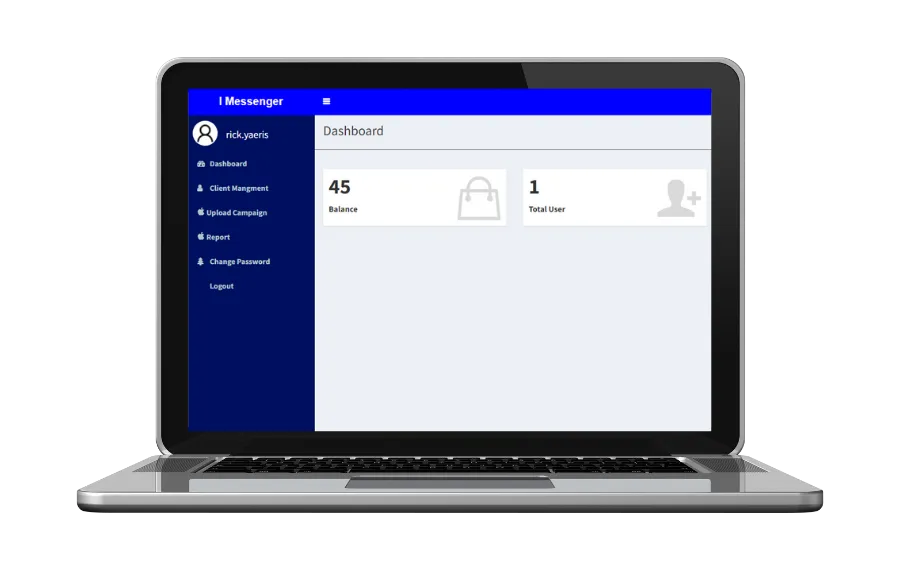
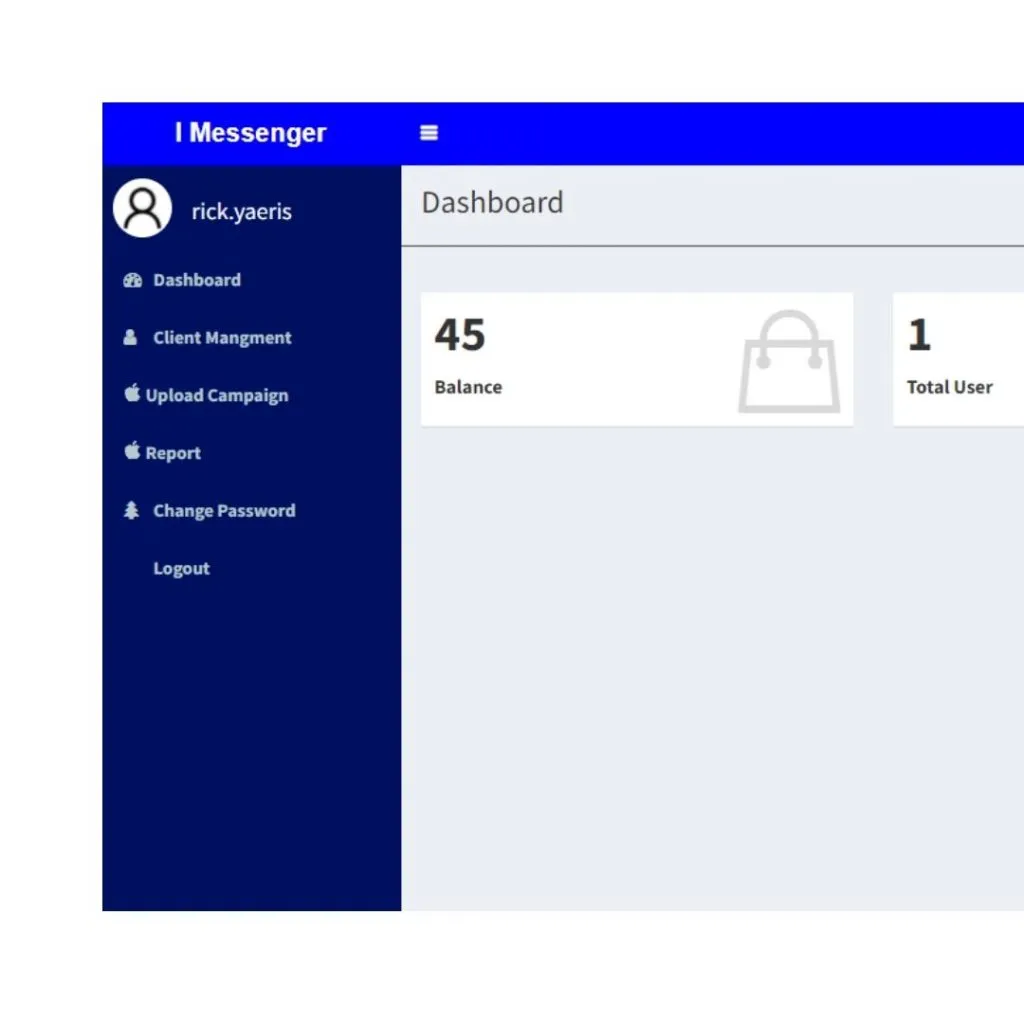
User Dashboard
Manage and monitor your entire iMessage campaign from one intuitive, feature‑rich dashboard.
Random Malaysia Sim Card
Schedule Messages
Scaleable iMessage Marketing Campaign
Fully Secure Database
Reach Audience Globally
No SIM Card Purchase
24 Hours iMessage Blasting System
98% - 99% Deliverability Rate
24 Hours Auto Refund iMessage Credits
Delivery Reports in 24 Hours
Send iMessage messages in 2 formats ( Text + Image )
Responsive Support
iMessage Bulk Sender
Rapid Revenue Growth
Try it yourself and watch your revenue climb—many clients see growth within 90 days
1 billion monthly active users (MAU)
In 2022, the number of iMessage users worldwide was estimated at 1.3 billion, accounting for approximately 16.25% of the global population. This number is closely tied to the over 1.38 billion iPhone users globally.
8.4 billion messages are shared on iMessage each day
Data shows more than 8.4 bil messages are shared every day by users. This massive figure does not include images, videos, and audio recordings and complies only with text messages.
45.13% of iOS usage
As of May 2025, iOS 18.4 is the dominant iOS version in Malaysia. This indicates a significant number of iPhone users in Malaysia, who would naturally have iMessage pre-installed.
Our
Pricing
5,000 Credits
- US$0.06/credit
- 1 Credit = Text + 1 Image
- 98% iMessage deliverability rate
- Support text & image format only
- iMessage Campaign Scheduler
- Import & Export Mobile Numbers
- 0 SIM Card Purchase
- Access to iMessage Dashboard
- iMessage Report
- No Expiry Date
- Auto Refund iMessage Credits
- High Speed Blasting
10,000 Credits
- US$0.055/credit
- 1 Credit = Text + 1 Image
- 98% iMessage deliverability rate
- Support text & image format only
- iMessage Campaign Scheduler
- Import & Export Mobile Numbers
- 0 SIM Card Purchase
- Access to iMessage Dashboard
- iMessage Report
- No Expiry Date
- Auto Refund iMessage Credits
- High Speed Blasting
50,000 Credits
- US$0.0422/credit
- 1 Credit = Text + 1 Image
- 98% iMessage deliverability rate
- Support text & image format only
- iMessage Campaign Scheduler
- Import & Export Mobile Numbers
- 0 SIM Card Purchase
- Access to iMessage Dashboard
- iMessage Report
- No Expiry Date
- Auto Refund iMessage Credits
- High Speed Blasting
*Delivery Rate = Sending Rate (Delivery rate doesn’t mean receiving rate)
*Terms and conditions applied for using this service.
Terms & Conditions
By making payment, you are fully aware, acknowledge & agree to the information below when you have made the payment:
- iMessage credits have no expiry date.
- Your recipients will receive random numbers from our server.
- You will not be able to reply to the message. However, we do recommend you insert a link so that your recipients can contact you back.
- You are responsible to track your own link’s performance. We suggest you use bitly.ly.
- You or your business is bound to PDPA for exposing your mobile numbers to our company by uploading them to our server. Under no circumstances, we will use your company properties such as your list of mobile numbers for any reason.
- All iMessage campaigns will take 24 hours to complete their blasting process.
- All credit refunds will take another 24 hours after the iMessage campaign has been completed.
- Our 98% – 99% deliverability rate refers to valid iMessage numbers. We do not provide a 100% guarantee on receiving rate for all the messages you blast.
Video Demo
iMessage Bulk Sender
Expand Your
Advertising Mix
Beyond Facebook and Google Ads, leverage iMessage to send laser‑targeted promotional messages directly to your audience.
Video Demo
iMessage Bulk Sender
What is iMessage Bulk Sender?
With more than 84 millions of users globally are using iMessage messaging app, a new way of monetizing the iMessage user base has appeared. iMessage Bulk Sender is one of the advertising methods by blasting large quantities of messages to targeted audiences.
Why does the iMessage Bulk Sender work?
iMessage bulk sender works because people tend to open messages if they receive the messages in iMessage . Hence, the click-through-rate (CTR) is higher as compared to normal sms.
How to use iMessage Broadcast?
Firstly, purchase our iMessage credits from us. 1 credit can send out 1 iMessage message. The more iMessage credits you purchase, the cheaper cost per message you will get. You will get a login detail from us within 10 business minutes. Then you can login to your iMessage broadcast portal to launch your first iMessage campaign. You can top up the iMessage credits when you finish your iMessage credits at any time. Our server will send out your iMessage messages to the list of numbers you provide to us.
Do you have any reseller programme for iMessage?
Yes, we do. You can reach out to us at our official WhatsApp to inquire more information.
How to send bulk sms from iPhone?
Sending bulk SMS from an iPhone can be done efficiently using apps like Yaeris for iMessage outsourcing, Mass Text Sender for personalized group messaging, Group SMS for managing large contact lists with templates and CSV imports, and Hit Em Up for sending individually customized messages with multimedia—making these tools ideal for businesses, marketers, and event organizers seeking efficient and targeted communication.
Will iMessage block the sender number?
Yes, iMessage allows you to block a sender’s number directly from your iPhone. Once blocked, the person will no longer be able to send you iMessages, SMS texts, phone calls, or FaceTime calls. Importantly, the sender won’t receive any notification indicating they’ve been blocked; their messages will simply not be delivered to your device.
If you worry of having your iMessage gets blocked, you may choose to outsource this iMessage broadcast to us.
How to Block a Sender in iMessage?
To block a contact in iMessage, open the conversation, tap the sender’s name or number, go to Info, and select “Block this Caller”—which will stop them from reaching you via iMessage, SMS, calls, and FaceTime.
our clients
Testimonial
Our clients have worked very closely with us. We always strive our best to provide a great user experience for everyone.
We're ready, are you?
What we do here is to help our customers (you) get the result you want at a tiny fraction of your business revenue.
SOCIAL SHARE